Thursday, February 10, 2022

In Person Again, FETC 2022

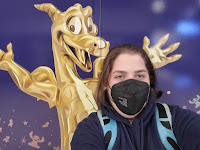
Figment of my imagination.
In my first return to the new normal, I spent the last week of January in Orlando attending FETC. This was not only my first time attending FETC, it was also the first in-person conference I have attended since the initial shutdowns began. It was exciting to be with my peers again for the first time since January 2020, but it was also a little scary. The world has changed a lot in the last two years, but one thing remained the same - teachers attending conferences to learn new tricks, tips, and programs to bring back to their local communities.

My trip to FETC began with a day where Murphy's Law ruled. The entire morning represented the expression "whatever can go wrong, will go wrong" but eventually I arrived at the airport and checked-in for my flight. When I landed in Orlando, I knew everything was looking up when Figment greeted me at the airport. You don't know Figment? He's the underappreciated mascot of Epcot, a Figment of my Imagination. Eventually, I arrived at the hotel and made a plan for the next day.

Day 1 (False Start)
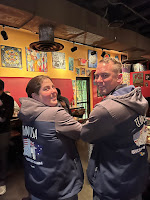
MIEExpert Road2E2 jackets
seen in the wild.

One thing I learned, a little too late, is that the first day of FETC is all premium workshops. This means that you needed to register and pay for a premium registration to attend. Therefore, after I checked in and got my nametag, there wasn't anything for me to do. So what did I do? I spent the day relaxing and maybe I did a little shopping.

Before long, it was time to meet up with my MIEExpert family for dinner and a reunion. Our dinner lasted so long it was amazing the restaurant didn't kick us out. Not only was it the MIEEs, but we were joined by the awesome teams of Flipgrid and Wakelet as we all caught up on two years.

I not only reunited with friends and peers. I also made new friends and connections. 

Day 2 (The Real Start)

Wednesday morning revealed the true FETC beginning. I started my morning by trying to attend a session on making professional development engaging but it was standing room only so I ended up leaving. Made my way over to Microsoft's room and found that was standing room only also, but there was enough room near the door that I stayed to listen to Leslie Fisher talk about Teams and OneNote.
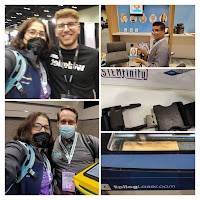
Collage from the expo hall.
The keynote was much better in the sense that there was plenty of space to social distance. The speaker focused of SEL and encouraged positive psychology to help students and colleagues (and self) through the stressful times known as Covid-19.

I spent a good amount of the day in the expo hall learning about new products and features of products I already knew before trying to attend a few other sessions. One thing I will say about FETC is that because it was the first in-person conference and because I was really nervous about being in crowds I missed out on a bunch of sessions I wanted to attend because they were all popular. 

Wednesday night, I was invited to an event hosted by Nearpod and it did not disappoint. I am not part of Nearpod's PioNear program like I am with Microsoft's MIEE program, but they welcomed me at their dinner anyway and made me feel like family.

Day 3

Day three started with another Keynote and more networking. In the afternoon, it was my turn to present a session on Digital Whiteboarding. My session was scheduled for one of the mini theaters in the expo hall which was great because tons of people were stopping to watch for a few minutes between checking out the vendors.
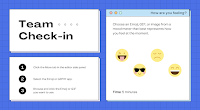
A Canva template.
I had planned demos of a few different whiteboarding apps to compare them and show how teachers can use certain templates, such as those from Canva, with a variety of whiteboard softwares. For example, if a teacher wanted to use Canva's template for a Team Check-in as the background for both Microsoft Whiteboard and Google Jamboard. It can also be used in programs such as Nearpod and Peardeck.

Murphy's Law reared its ugly head again as I had a lot of wifi issues during my session. Luckily, Microsoft Whiteboard is not 100% cloud-based so while I couldn't demo the cloud and collaboration, I was able to demonstrate the Windows 10 whiteboarding app. While the cloud was not cooperating, I did have my slide deck in PowerPoint so I was able to also show screenshots and discuss some pedagogy including the awesome templates on Canva.

After the Conference
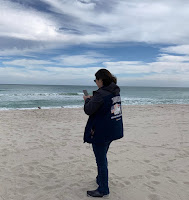
Miami Beach
Due to the snowstorm in the Mid-Atlantic, airlines warned about flight delays and cancelations, so I managed to change my flight home from Friday to Sunday and from Orlando to Miami. I then got a ride from another MIEExpert that was heading home to Miami and spent the weekend with my aunt. Since I was following his schedule for Friday, I did leave FETC before the final day was over but luckily I was able to accomplish everything I had hoped to while attending FETC.


Disclaimer: As a Microsoft Innovative Education Expert (MIEE), I was fortunate to have my registration and travel covered by Microsoft as a presenter using Microsoft tools. 

Wednesday, January 19, 2022

Need to Find a Larger 3D Scanner

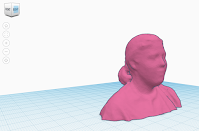
Uploaded model to Tinkercad
A while ago, I was at an expo for a half marathon when one vendor was offering free health scans. It was a system called fit3d. While the system really is used to determine body fat, muscle mass, and other health-related measurements that's not why I'm writing about it. The system also created a 3D image of your body. 

When I was looking at some fitness programs to consider right now, one gym was offering a free scan when you joined. They had mentioned that after the free scan, you could purchase a package of additional scans to get an accurate comparison of your progress. This reminded me of the scan I already did so I went to the website. After resetting my unknown password via email, I was able to access the history with my previous scan. Then I saw that not only was there a 3D avatar of my body to see on the page, but it could also be exported as an OBJ file. Well of course you obviously know what I did. I printed my bust. How cool is this? 
Printed bust

I know I've seen some small 3D scanners so now I'm wondering how we can replicate this for students. I don't think schools are going to purchase this fitness scanner, but maybe there is a less expensive scanner. Or some method of manually scanning a person's head or something. Perhaps the opposite of a panoramic image.

This is definitely something I am going to look into more. Perhaps I'll find the solution next week at FETC. 


Monday, January 3, 2022

Being Taught How to Use a Chromebook by my Nephew

 Over the new year, I spent an extended weekend with my family. It was a much needed vacation but the best part was my excited five-year-old nephew showing me his new school issued Chromebook. He just started kindergarten this year and every experience has been new after his last year in daycare and pre-k was mostly virtual or non-existent.

The first thing he wanted to show me was his new Chromebook. He was so excited to have a big kid computer. I loved seeing the practical use of all these programs and devices that I study and learn about. Since I work with mostly secondary teachers and was a secondary teacher before leaving the classroom, I wasn't sure how the younger students would do. Well, I'm impressed. Am I impressed with him or his teachers though? Or the Ed Tech companies that make the products? I think it's a combination of them all.

Chome "Beachball" Icon
To start, he used a Clever QR code to login to the computer, but his Google login was also on a sticker on the palm rest. I wasn't happy about the sticker with his password for obvious reasons, but I understand that he's five and the district probably needed to do something. I just hope they don't do this for everyone.

He had his QR code on a small piece of paper that was sandwiched in the closed computer and I did comment to my sister that I was surprised they didn't at least laminate it. She informed me that they have multiple copies and the classroom teacher has extra if it gets lost. My nephew showed me where to click on the screen and then how to hold the paper up to the camera to login.

His Chromebook is a touch screen and I think that was a good thing because I didn't once see him use the track pad. I'm not sure if he knows how and finds the touch easier, but I didn't ask. He did type a few keys when he pecked at some numbers.

Once logged in, he told me that I needed to click the beachball to open the computer. Yes, he called it a beachball and when I looked at it, I was surprised I never noticed that before. This is what I mean about kindergarten teachers knowing how to reach their students. 

His district has defaulted the Clever page as the home tab so it automatically opened a page with all his bookmarks. When I started to type a page directly in the omnibar my sister actually looked up from what she was doing and reminded me not to "mess up" his computer because he wouldn't know how to access anything. In her defense, I do have a reputation for changing things on family members' computers (video clip from The IT Crowd that represents me trying to help) however I never mess with core functions or features.

My nephew pointed to Dreambox and was excited to show me all the games and avatars. I have heard of this program before but never actually used it, so I learned a lot by having him guide me through it. Seriously, he kept referring to it as games, never once referring to it as math. I love that. He was voluntarily practicing his math skills and referring to it as games. As someone that grew up on Reader Rabbit and Math Blasters, I completely agreed with this mentality. 

Just a few bookmarks I saw on his Clever page:

  • BrainPop
  • Discovery Education
  • DreamBox
  • Google Classroom
  • Newsela
  • Renaissance Learning
  • Typing Club

I really enjoyed learning about the Chromebook from the eyes of my nephew. Seeing his excitement about both the technology and school was great. Knowing how important the kindergarten experience as the first introduction to school, I'm glad to see that halfway through his first year he's having such a positive experience.

Tuesday, October 19, 2021

Growing My Influencer Status

While I don't consider myself an influencer, I also know that any educator on social media is an influencer. I'm hoping that I am doing this in a positive way and being helpful to other educators.

For a while now, I have posted about products I love, made video tutorials, and more to help others. This is why I'm very excited that for the first time in my educational social media experiences, I was contacted by a representative from a hardware company, Wacom. They saw my presentation listed on the FETC agenda and felt their product could help educators.

It arrived last week and I created an unboxing video so far. Since then, I have been testing the tablet in a variety of software to make an opinion before creating my next video and review.


In total, I plan to do a three piece series of YouTube videos:

  1. Unboxing - Showing how it arrives and setting it up.
  2. First impressions. Is it easy to start using? Is there a learning curve? 
  3. Follow-up. After using it for a while, what are my final thoughts?
I hope that this product is as helpful as they said in their email because I haven't used it before but after searching current YouTube video tutorials, it does look like something that can really help teachers. 

Wednesday, July 28, 2021

The Power of Social Media

I'm in the middle of a project and was trying to give an example of why project-based learning is so valuable. I remembered hearing a while back an analogy comparing step-by-step "project" lessons to recipes and are not true projects. The basic concept is that if every single student is turning in the exact same assignment then it's not a project it's a recipe. The whole goal of project-based learning is to allow students to explore different possible outcomes.
Image Source: Web 2.0 Classroom

I knew I had seen a meme but could not for the life of me find the graphic. All my search results were leading me to lessons about actual cooking not a concept comparing lessons to cooking. This is why I turned to social media for help.

I posted on both LinkedIn and Twitter asking if anyone else remembered hearing about this concept. Within an hour I not only got an answer on Twitter, I also got a link to an article from 2017 about the concept.


Thursday, May 20, 2021

Lessons Learned from Organizing a Massive (by my previous experience) Video Project

About an hour before this post goes live, MIEExpert Cohort 11 premiered this short video that we have been working hard on. While my part in the video itself was relatively small, I did play a large part in the project as I edited the footage together.

This was by far the largest video project I have completed to date. While the video itself was shorter than most of my other videos, it required tons of editing, organizing, and more due to the amount of participants and individual clips. I decided to break down the steps we took to create this video.

The Idea

Earlier this year, Cohort 11 was assigned May as our month for the community call. As our turn was getting closer, the Fellows (myself, Karey Killian, and Rebecca Gratz) were discussing ways to make our call stand out from the previous cohorts. We had been discussing a video by Annie Agar that had been making the social media rounds a few weeks earlier and decided it would be fun to try and parody it. An idea was born.

The Script

We started by transcribing the original video and then modifying the script. We added Minecraft, Flipgrid, and more to turn the video from O365 to O365Edu. 

The Cast

For our turn at the community call, we needed to select four presenters from Cohort 11. Amazingly because our cohort is just that awesome we had way more volunteers than slots. Reaching out to the potential presenters, we found our cast.

Recording

Originally we thought about recording a live recorded Teams call, but it was difficult to find a time that worked for everyone's schedule. At this point, we realized that there was a perfect platform available for recording, Flipgrid. Once the script was finalized we sent our cast the Flipgrid link and password. They all recorded on their own time. 

I knew that I would want to have some group screens and reactions so I also asked all the cast members to record ten to thirty seconds of reactions such as laughing and looking bored. This ended up adding some great comedic moments such as Matthew Nickerson as Minecraft laughing while the teacher is talking and Dianne Krause as OneNote covering her camera in disgust at a purposely bad joke.

Editing

This was the biggest challenge and the reason I decided to write this as a full blog post instead of just a quick Tweet.

When I started downloading the videos from Flipgrid, I forgot that there was an option to download all the videos from a topic at once and it was taking me forever. Then I remembered how to get them all at once and it spend the process up dramatically. The next issue though also had to do with downloading the files. Each file was saved in an individual folder within the zipped file and was numbered, not named. Using the search feature on Windows I was able to isolate all the MP4 files within the main folder and transfer them out of the individual folders. Took a moment, but it wasn't difficult. 

Next, I needs to sort the files based on the character and content. The content part wasn't difficult because each original zip file was from one topic, but I had to figure out who was who and the thumbnails were hard to tell.

Once I had all the clips downloaded and labeled, the next step was something that I might have been able to simplify if I had more Camtasia experience, but I did it a long-handed way. I took one character at a time and added all their clips to a track line. I then changed the label/bottom third on the video and saved it as a new file. This way, when I resized their screen for the individual vs the multi-view, the label resized appropriately with the clip. I wouldn't need to worry about font size and such because it will all stay proportional to the clip.

Now that I had each individual role sorted and labeled, I was able to start the real video. At this point, I realized i didn't have a template for a Teams call so I relied on my MIEExpert tribe for assistance. I started screen recording and then messaged my group asking for anyone that was online to just join the call for a few minutes. Once I had about thirty seconds recorded, I was able to have the intro screen and borders. Using my Camtasia tracks, I just overlaid our "teacher" over myself in the call starting up.

I created a track for each person, my background, and a few overlays. It ended up having fourteen tracks by the time I finished. I then cut the clips and positioned them in order of the script. I had to be careful of where I cut the clips because some people started/stopped recording too quick and I I took all the reaction shots and placed them at the end of the track so they were available to pull over as I continued. 

This video took the longest to edit of all videos I've made so far just because of all the moving parts but I was very proud of my first draft. I uploaded it to YouTube, unlisted of course, and shared it out to the actors. I told them that there were a few issues I was hoping to play around with and fix but I wanted to get their opinions at that point. I then went back to work.

There were a few spots when I had the multi-person scenes that I had to stretch some clips to make them the same time frame. When you see faces that look slow or possibly frozen, they are. For example, some people said hello and waved for a clip that allowed me to cut some of the waving while others said "hello" and stopped the recording very quickly. By freezing a frame, it stretched it out so I didn't have a black screen for one person. This mostly happened during the multi-person screens and were small that you might not focus on the frozen person while the other window had the speaker. 

The other editing challenge I had was the multi-frame shot at the 0:54 timestamp. I had shrunk the Windows actor and increased the Word actor. The problem was which clip was the top track. It was causing Windows to stay on top of Word in that top corner.

Sharing the Video

So I wrote this post and scheduled it to publish before I actually shared the video with the group. I hope that everyone enjoys it when they see it because it was a lot of fun, and a great editing lesson for myself. I would love to do more projects like this in the future with my friends and I'm sure the process will get faster with experience.

Thank you all for watching the video. Be sure to like and subscribe if you enjoyed it.

Friday, May 14, 2021

Lessons from Disney Many Years Later

Some of my momentos.
When I was in college, I did what was considered crazy by many of my friends. In a world before online classes were widely offered, I decided to take a semester away from college to get some real world experience. That "real" world was of course Walt Disney World. For six months, I lived in Buena Vista, Florida and worked in attractions at The Magic Kingdom. I took some courses at Disney University, officially referred to as Disney Institute, where I learned skills not taught in traditional college courses and earned my Ducktorate Degree.

Over a decade later, I still have mementos from that semester including the little magnet that was used to represent my position for the day at Jungle Cruise. They got rid of the magnet board and now use a digital assignment system, but those magnets still hold a sentimental value for all of us that worked before a computer told you where to stand for your shift. I also saved a Cast Atlas which was the behind the scenes map so I didn't get lost, and both my name tags. The dirtier/aged name tag is the one I wore every day in the parks, while the cleaner one was provided to me when I became a campus representative and helped future interns with the process at school before leaving for the program.

The first day of my Disney College Program, I arrived at The Magic Kingdom in the early morning, before most of the employees and obviously before the park opened for the day. That day it felt magical to see Main Street USA without the crowds. While I saw this as a magical experience only a few were able to witness, now it's sadly a common view as the park was closed for months.

The following week was spent earning my ears as I learned the ins and outs of the park, the history of Disney, and specifically The Jungle Cruise where I was assigned for the semester. When I was handed the 50 page packet and told to start memorizing the script, I was in shock. However, like every other part of the internship it turned into an experience I will always remember that helped me grow as an individual.
Main Street USA, Early Morning 2004

In the end, I may have been driving boats and telling jokes all day but I also learned those soft skills that we always talk about with our students. Here are just some of the lessons I learned during the semester that I still use everyday as a professional.

Accept Disappointment and Learn from It
My very first day during check-in, I was asked "Which is your favorite park?" Which I immediately replied Epcot. After a pause, the HR representative said "What's your second choice?" Disney's recruiters said that they tried to match positions based on majors. So as an education major, I thought I would be placed at Epcot or Animal Kingdom. Imagine my surprise when I was assigned Magic Kingdom. I was upset, but I knew that I wasn't promised a specific position and that it was the reality of my assignment. I let myself be upset for a bit and then moved on. Of all the college students assigned to Jungle Cruise that year, four of us were education majors. Maybe Disney realized something at the time that I just didn't understand.

Working with Others
Disney was the first time I was forced into a situation where I couldn't talk my way into a situation I preferred. In school, even when groups were created by the teacher, I tended to work with the same people that I had grown up with and knew. In college, I got to know everyone in my core classes and when it was group projects, we tended to gravitate to the same groups each time. At Disney, I was thrown out of my comfort zone and actually had to work with people that weren't always the easiest to get along with. This allowed me to learn soft skills such as conflict resolution and compromising because I couldn't just walk away when someone made me upset.
Another day on the river, Jungle Cruise

Public Speaking
As a Jungle Cruise Skipper, I was responsible for telling scripted jokes along the ten minute boat ride. While scripted, it still had to feel natural and not off. This got easier as the semester went along, but some other things I learned in terms of public speaking were just the general skills. Intonation, eye contact, and volume control. As a naturally loud person, I had to learn to hold the microphone away from my mouth and also be conscience of how loud I was being in general.

Non-Verbal Communication
Each day I would interact with over 500 people many that didn't speak English. This made non-verbal communication even more important as I directed them to seats, gave safety information, and tried to make the ten minute ride enjoyable when they couldn't understand the jokes. The classroom is the same thing. Teachers always talk about "the look" and it's true. Students can take a lot of social clues from a teacher's non-verbal communication. 

Time Management
While working at Disney, I didn't bring a car to Florida. Therefore I relied completely on the transportation provided by the student housing. They had a variety of bus routes that went to all the parks, along with major shopping areas. For The Magic Kingdom, the bus stop was in the cast member parking lot which was about a half mile behind Splash Mountain. AKA, really far and not walk-able due to safety. I would then have to get on a different shuttle to the cast member locker room where I would change into my costume and clock-in. This process meant that if my shift began at 1pm, I really had to get the bus that arrived by noon so I had time to get the shuttle, then my costume, and actually get ready. 

Expect the Unexpected
Part of the training at Disney included emergency preparedness. As a ride that took place on water, we had to prepare for weather related incidents along with other acts of craziness. While crazy things happen at Disney all the time, there are two specific incidences that I was somehow in the wrong place at the right time for and ended up needing to assist.

On February 8, 2004* I was working crowd control at the 3pm parade. After we put the ropes up, we would play silly games with kids until we had to clear the street. I was mid-Simon Says when a manager came over the walkie-talkie saying the parade was stopping after three floats and to wrap up the ropes. While we were putting the ropes and poles away in the storage closet, we learned why the parade was canceled; an accident backstage. This accident also led to a complete revamping of safety procedures for all the parades. Luckily no children witnessed the accident but every cast member there that day knew what happened and had to pretend everything was normal to preserve the magic for guests.

On March 10, 2004* I was coming through the hippo pool when I noticed people standing up on the boat ahead of me. As I slowed the boat I was driving down so we didn't crash, I realized they were standing because the boat was under water. That's right, only twice in the history of all Jungle Cruise attractions have boats sunk, and I was there the first time. While other cast members started wading the water to assist people across to dry land, I had to keep the forty passengers in my boat seated and calm. The remainder of the day was filled with paperwork and standing at the entrance of the ride to inform guests that we were closed.

It's Called Work, Not a Vacation
Throughout the semester, there were a few people forced to move out of student housing after their internship was terminated. Sometimes gossip would spread, and other times they would just disappear silently into the night. The most common story though was a sad trend. Many of the college students took the semester thinking it was a fun break from school. They would call in sick (and get caught) from work to go play in the parks, hang out at the beach, and a few other common excuses. The average Disney work week was five days, my "weekend" was Monday and Tuesday because weekends were busy in the parks, but I still got two days off a week where I could enjoy Orlando's many opportunities. Claiming to be sick and taking a day off never crossed my mind because I knew that calling out would leave everyone else in a bad situation. Each time someone took off a scheduled shift, the rest of the cast members would have reduced breaks and other changes to compensate for being short one person.

The same is true for teaching. Many teachers will overwork themselves and come in when they are feeling under the weather because they know the strain it puts on everyone else to be short-staffed.

Graduation Day, May 14, 2004

The semester at Disney was amazing and at the end I was sad to leave. I even considered staying an extra semester but my mother wisely convinced me to finish my degree. A decade later, I still remember the lessons I learned there and hope that I bring some of that Disney magic to all my students.

* Clarification of dates listed. I had to use Google to find the dates of these two incidents but there was conflicting information between message boards and Wikipedia. I did not record the exact date in a journal or anything at the time so I am using the dates that appeared the most likely to be correct.